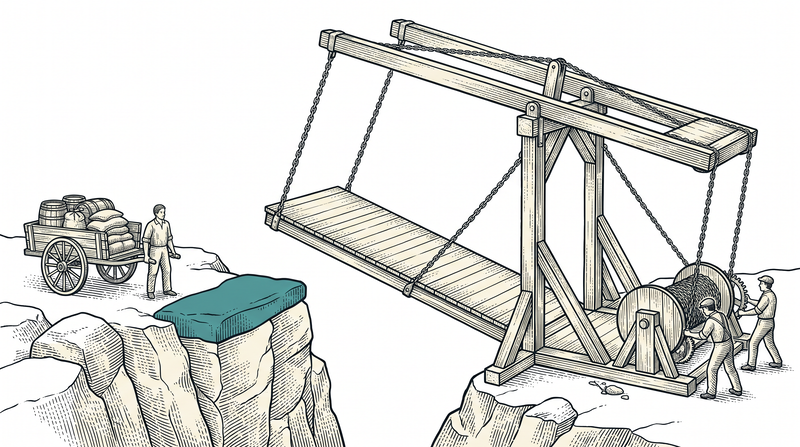
Why is launch day the riskiest day of a project?
Going live is the moment software that has run in a controlled environment first touches the real world; the risk comes not from code quality but from differences in environment. On a development machine everything is at hand: the database is next to you, the address is localhost, there is no certificate, and you are the only user. In production all of that changes — and each change can break an assumption the code has never had to face.
The second source of risk is treating delivery as a single event. In truth it is at least five separate steps: building, deploying, having settings in the right place, having the domain point to the right place, and having a valid certificate. When one of them is missing, the symptom is usually misleading — the site opens but no data appears, or the site opens but it is the wrong site. There is no error message; something is just 'off'.
In this article we will describe our own pipeline: a setup keeping several applications, on several domains, live on a single server. We learned every lesson here first-hand — some of them on a live release night. The aim is not to preach how things should be, but to show which decisions have to be made in advance so that launch day stays calm.
How many environments do you need: development, test, production?
You need at least two environments — development and production — but the real difference begins with the third: test. The reason a test environment exists is not to try the code but to try it on a copy of production. When something that works on a development machine fails in production, the cause is almost always an environment difference: a different version, setting, address or permission. The test environment is where you see those differences before the client does.
The most commonly confused part of separating environments is the database. Sharing one database between development and production is tempting — the data is real, no preparation needed — but it means a wrong query can corrupt live data. We made that trade deliberately on some projects and set a rule in return: every script that touches live data is first verified with a read-only count, then run. Make the trade if you must, but make it knowingly.
The third point is that environments must be identical — in versions, in how they run, and in configuration. Two environments on different versions are effectively two different products; passing in test then guarantees nothing about production. Our answer was to bring every environment up from the same container recipe: the same base image, the same run command, with only the settings differing.
The delivery pipeline: when should you stop copying files by hand?
You should stop copying files by hand the day you ship your second release. The first launch can be manual; on the second you skip one of the steps, and by the third you cannot tell which file is left over from which version. The value of a pipeline is repeatability more than speed: pressing the same button always does the same thing, regardless of whether a human is tired that day.
Our pipeline has three stages and is defined separately for each application: fetch the source, build, deploy. The build stage installs dependencies and prepares the production output; the deploy stage stops the running version, cleans the old files, puts the new ones in place and restarts the container. That order is not accidental: pulling files out from under a running application is a source of the sneakiest bugs.
There is one concrete lesson we took from this. The live application was writing files into its own folder while running — a temporary image cache. Because those files belonged to the container's privileged user, the user running the deployment could not delete the old version, and the pipeline stopped with 'permission denied'. The fix was two lines: stop the container first, then do the cleanup with the same privilege. The broader lesson: the files an application writes while running are part of your deployment design.
Where do settings live: at build time or at run time?
When a setting is read determines where it must be placed — and missing that distinction is the most common launch-day mistake. Some values are baked into the output while the application is built; others are read fresh on every request. Give the first only at run time and it has no effect; give the second only at build time and it goes stale when the server changes. Keeping the two lists apart removes a whole class of midnight problems on its own.
Here is the example we lived through: the site needs to know its own address — the canonical URL given to search engines, the language alternates, the sitemap and the share cards are all produced from it. Because the sitemap and crawler directives are generated during the build, giving that value only at run time is not enough; it has to be defined in both the build and the run step of the pipeline. Writing the same value in two places looks redundant; it is not.
The third rule: give the setting a sensible default. When the code has a safe default like 'if unset, use the live address', someone forgetting a line does not make the site advertise a development machine as its canonical URL. Defaults are not there to reward carelessness but to shrink the cost of human error — and every setting except a secret can have one. Secrets get no default; without them the application should stop loudly.

Connecting the domain: what must not break on moving day?
The first thing that must not break when you point a domain at a new server is email. A domain's records live in one place, and web and mail share that list; updating the address record for the server move while sweeping the mail records along means a day when the site is up but the company receives no email. Taking a screenshot of every existing record before you start is the cheapest advice in this article.
The second decision is where the domain will be managed. The registrar, the name servers and any protection or acceleration layer in between are three different places, and a change made without knowing which one holds the 'real' records achieves nothing — you write the record in the right place while the world asks a different one. In a real migration we therefore established where management lived first, and only then changed the record.
The third is timing. An address record does not propagate instantly; there is a lifetime value deciding how long the old one is kept. Shorten it the day before the move and the switch completes in minutes; leave it and some visitors keep seeing the old server for hours. This one detail can, on its own, double the length of launch day.
Why does an SSL certificate sometimes refuse to install?
The most common way to get a free certificate relies on the provider being able to read a special address on your server: that is how it verifies the domain really belongs to you. So when a certificate will not install, the problem is usually not on the encryption side but that the verification address cannot reach the provider. If your application catches and redirects every request, it may be swallowing the verification request too.
That is exactly what happened to us. The routing layer in front of the site was rewriting every incoming address by language; the verification address fell into that rule and got redirected, the provider never received the response it expected, and no certificate was issued. The fix was to exclude that special address from the routing rule — a one-line exception, but the kind that takes half a day to find.
After the certificate is installed, check two more things: make sure renewal is automatic, and verify that it covers both the 'www' and the bare form of the domain. Certificates are short-lived; one that quietly expires two months after launch leaves a worse impression than having none on day one, because by then nobody is watching.
Reverse proxy: what must survive the request chain?
Every layer that sits between the server and the application either preserves or corrupts the information a request carries; the most critical piece is which address the request arrived at. In a single-application setup this hardly matters. But if the same setup hosts several sites, the application's decision about which site to open depends on exactly that. If the intermediate layer writes its own name there, the application opens the wrong site.
The insidious part is that this does not look like an error: the page opens, the certificate is valid, the code raises nothing — only the content is wrong. We lived through it on our first launch, and diagnosis took hours rather than minutes because everyone went looking inside the code for 'why is there no data'. In fact the system was working correctly: for an unregistered address it fell back to the defined default site, exactly as designed.
We took two rules from this. The first is technical: the address must be preserved along the chain, and you should test that once before launch. The second is about design: 'fall back to the default for an address I do not know' should never be silent; it should be logged, so that next time the cause is visible at first glance.
I published, but nothing changed: where is the cache?
If a change is not showing, your first suspect should be the cache, not the code. On a modern site the same content can be stored in at least three places: in the browser, in the site's own page cache and in an acceleration layer in front of it. If you do not know how long each keeps it, you will spend launch day staring at the screen asking 'did it work?' — and usually it did, it is simply not visible yet.
In our setup, content calls are served through a short-lived cache. That means after updating the database the page keeps showing the old content for a few minutes. On a day when you do not know this, you assume the update failed and run it a second time; that is precisely what happened to us. And because the cache expires per language, new content can appear in one language while the old remains in another — hence the 'it half worked' impression.
The right reflex is this: verify the change at the data source, not on the page. A simple count query answers 'was the update applied' in a second; the page only tells you how old the cache is. If you want instant reflection, factor in that it requires a separate mechanism and that it creates consistency problems in multi-copy setups.
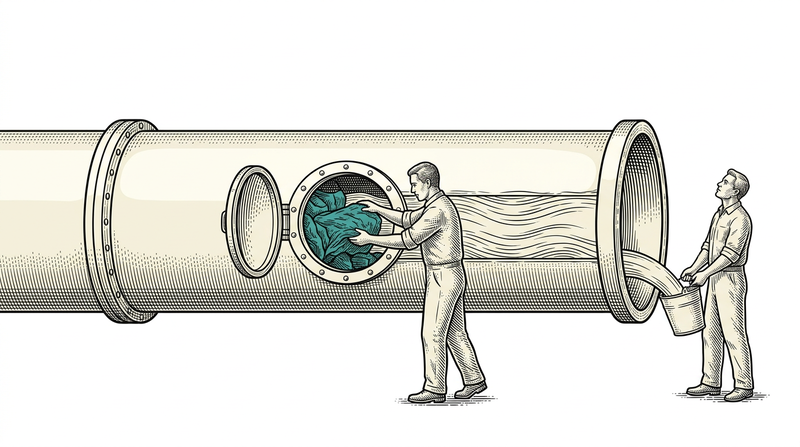
Building and serving on the same machine: resource contention
Build jobs running on the same machine as the live site directly affect the speed visitors experience. Compiling software is a CPU-saturating task; build several applications at once and incoming requests have to work with the leftovers. This is an entirely invisible problem, because the logs show no errors — only response times grow.
We measured this on a release day. While three applications were building at once, a content call that normally takes a fifth of a second climbed to twenty seconds and some pages timed out. As the builds finished, the times fell step by step: twenty seconds, six, three, one and a half, then back to normal. There was no code problem; the server was simply busy.
The fix is simple but must be planned: queue the builds so that only one runs at a time, and if possible move building to a machine separate from serving. Add a diagnostic rule too — when the live site is slow, check server load first. Otherwise the team spends hours hunting for code optimisations on a machine that is merely busy.
If something goes wrong: what should the rollback plan be?
A rollback plan is the answer to 'how do we undo this', written before the launch; a plan you start thinking about on release night is not a plan. At its simplest it needs two things: being able to bring back the previous version quickly, and being able to return the data to that moment. These are different problems — reverting code takes minutes, reverting data depends on the age of your backup.
On the code side, our approach is that a deployment is always produced from a specific source version. When something goes wrong, running the pipeline again from the previous version is both faster and safer than restoring files by hand, because the same steps repeat in the same order. That is the second big benefit of a repeatable pipeline: going backwards is as automatic as going forwards.
On the data side the rule is stricter: a backup is taken before every operation that modifies live data, and the operation is applied as one unit — all or nothing. A half-applied data change is the hardest case to undo, because you no longer know which records are new and which are old. That is why data migrations deserve their own topic, and the next article in this series is exactly about that.
The first half hour after launch: the smoke test
A smoke test is the short check right after launch asking 'are the basics up', and it is the highest-return step in the delivery process. The aim is not thorough testing; it is confirming in five minutes that the home page opens, an inner page returns data, a form submits, sign-in works and the language switches. Those five minutes are what makes you, rather than the client, the one who finds the problem.
We learned that a smoke test must not stop at 'does it open' through one incident. During a post-launch check we noticed that a call made with an ordinary user account could return data belonging to an organisation it did not belong to. The code ran, pages opened, no error appeared — but an authorisation boundary was missing on one endpoint. That day a permanent item was added to the list: 'with an unauthorised account, try something it should not reach'.
The smoke test list should be short, written down and identical at every launch. A check done from memory skips the most critical item on a tired night. We keep these lists as numbered, tickable catalogues, so who tried what and when stays on record. We will detail the testing and acceptance side in a separate article.

The pre-launch backup: what, where and how often?
A pre-launch backup is taken even for releases with no migration — because the new version may touch the data structure, and even if it does not, a human can run the wrong command. Three things must be captured: a full copy of the database, the files users uploaded, and the environment settings. With all three you can rebuild the system from nothing; missing one leaves you holding a useless piece.
Where a backup sits matters as much as what is in it. A backup on the same server does not exist in the scenario where you lose the server; one on the same disk does not exist when you lose the disk. The rule is simple: a backup must not share the fate of the system it protects. On small projects the cost of that is a few gigabytes of remote storage — effectively nothing.
Finally, frequency: your backup interval is the amount of time you are willing to lose. If you back up once a day, in the worst case you lose a day of data — and that sentence should be discussed and accepted with the client, not left as the technical team's assumption. Most organisations, hearing it for the first time, want the interval shortened.
Where secrets belong: the pre-launch security check
Secrets — the database password, third-party keys, mail account details — belong to the environment, not to the code. Keeping them in the source repository hands the keys to your live system to everyone with repository access, and once they are in, removing them from history is not easy either. Putting this item at the top of the pre-launch checklist is cheaper than any cleanup done afterwards.
The second check is how management surfaces are exposed. The admin panel, the database interface, the log viewer and the deployment tool all need to work, but none of them needs to be reachable from a public address. A door left open on launch day with 'we'll close it later' usually stays open for months.
The third is the default accounts of a freshly installed system. Was the administrator password created during setup changed, were demo users deleted, was the 'allow everything' mode opened during development turned off? Those three questions take a minute to answer and become the most expensive mistake when they are not.
Monitoring: seeing the problem before the user does
The most valuable capability after launch is not hearing from the customer that something broke. Three things are enough: error logs collected in one place, a simple check that regularly asks whether the application is up, and a record of response times. All three should be in place on day one, because every day without monitoring is a day where 'when did this start' can never be answered.
The real benefit of collecting logs is comparison, not search. Reading the text of a single error is rarely enough; the useful information is when it started and which release brought it. In logs flowing to a central place that question is answered in seconds, while logging into the server and sifting through files takes hours.
We already saw the benefit of recording response times once in this article: when the live site slows down and you hold no historical measurement, you cannot answer 'was it always like this'. On one release night we could attribute a jump to twenty seconds and the return to normal to server load only because measurement was ongoing — without it, the day would have been spent hunting inside the code.
Release communication: who needs to know, and when?
Half of launch day is technical and half is communication. Announcing the release hour in advance, saying the system may be briefly unavailable in that window, and warning the teams doing transactional work changes nothing technically but changes the day entirely. A release made without notice is remembered as 'the system went down for a while' even when it goes perfectly.
The second point is writing down what changed in the release. Changes the user will see should be listed briefly and plainly; technical detail can live somewhere else. That list both prepares the support side and answers 'did this screen change?' a week later.
The third is having an owner for the first day after launch. Someone being 'on duty for this release' keeps incoming reports from getting lost. When nobody is on duty, every report becomes everyone's job — and everyone's job is nobody's.

The go-live checklist
Before launch: are the environments on the same version; are build-time settings defined in the pipeline; are secrets in environment variables rather than the repository; has a database backup been taken; are the domain's existing records recorded; has the address record's lifetime been shortened; are the rollback steps written down. Those seven items erase most of launch day's surprises before it begins.
During launch: was the running version stopped first; were the old files really deleted; did the new version come up; is the certificate valid; is the address preserved along the chain; and if there are several sites, does each open its own content. All six were produced from points where we got it wrong at least once.
After launch: was the smoke list run end to end; was an unauthorised access attempt made; was a content change verified after waiting out the cache; were error logs watched for the first half hour; were build jobs queued. Do not skip the last one: a second build running in the background on release night is enough to make the site you just delivered look slow.
Conclusion
In a good project, launch day is boring. What makes it boring is not luck but a handful of decisions made in advance: building environments from the same recipe, making deployment repeatable, knowing when settings are read, rehearsing the domain and certificate steps before the move, accounting for the age of the cache, and writing the rollback down. We learned every lesson here the hard way once; if you learn them by reading, you are already ahead.
We publish our own products and our client projects through the same pipeline; every step in this article belongs to a setup that runs today. If you have a project waiting to go live, or if your current release process produces tension every single time, we can review it together.