What is work tracking software, and what does it actually solve?
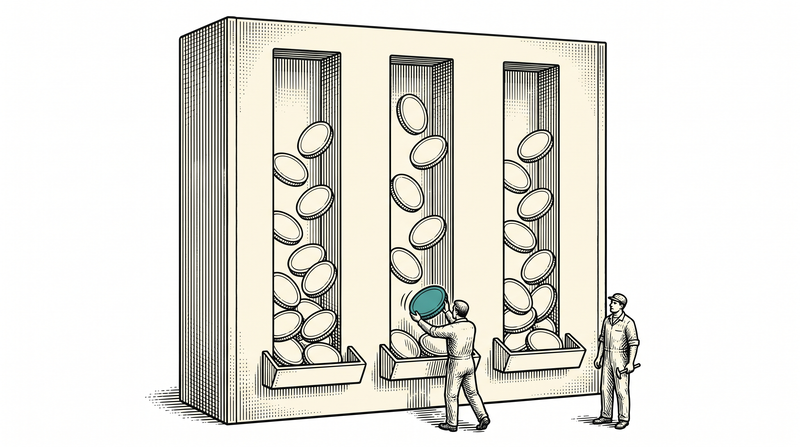
Work tracking software is the system that binds a team's upcoming tasks, its bugs and its promises to durable records. The real problem it solves is not keeping a to-do list but deciding where knowledge lives: if why a piece of work started, who it is waiting on, which decision postponed it and what finally happened do not accumulate in one place, that knowledge scatters across chat windows, email threads and people's memories. While a team is small this mess is survivable; the moment you are more than three people, you start paying for it daily.
The second thing it solves is visibility. The manager's 'what ships this week', the developer's 'what do I pick up today' and the support team's 'where is the bug the customer reported' are three angles on the same data. A good system gives those three people three different screens but shows them one truth. In a bad system everyone keeps their own spreadsheet, and the weekly meeting is spent reconciling spreadsheets with each other.
We are writing this not as observers but as a team living inside the problem. We built — and keep building — Stride, the platform where teams run task, bug and request tracking in a single flow, out of our own need. Below we will put the components of work tracking software into a framework, and then walk step by step through how we implemented each part in our own product, where we struggled, and what we deliberately postponed.
Why would a software team write its own tracking tool?
We wrote our own tool not because the available ones are bad, but because the way we work is unusual. We build dozens of products at the same time: on one side a platform running in the field, on another a mobile app, on another desktop utilities. Each of those means a separate project, a separate team rhythm, a separate release calendar. What we needed was not a tool that is perfect for one project, but one that could hold forty projects under one roof and still give each of them its own flow.
The second reason was keeping the data with us. In client projects, the bug reports that reach us often contain screenshots, business process details and sometimes personal data. Where those live, who can reach them and whether they can be deleted entirely when required is our responsibility. Once we wrote the product ourselves, the answer to that question stopped being 'whatever the provider's policy says' and became our own architectural decision.
The third reason is the most honest one: we want to sell a product we use ourselves. A team notices the gaps in a tool it uses every day within a few hours; it learns the gaps of a tool it does not use only when a customer complains. That is why Stride's roadmap is not set in a meeting room but in the flow of our own work — when something annoys us, it gets fixed that week.
The anatomy of a work item: which fields are actually necessary?
The core of a work item is six fields: type, title, state, priority, owner and date. Every other field earns its place only if it regularly answers a question. In Stride a record can be a bug, a task, a user story, an epic or a sub-task; those five types turned out to be enough, because as the type list grows people start thinking about which one to pick and creating a record slows down. Creating records slowing down is the sneakiest way a system dies: people simply stop writing things down.
The second layer of a record is its relationships. One item may block another; dozens of items gather under an epic; a bug belongs to a release, a component or a sprint. We chose to keep those links as separate relationship records rather than fields — so that 'what is in this release' and 'what does this item block' become two different questions asked of the same data. We capped the hierarchy at two levels: items under an epic, sub-tasks under an item. Past three levels nobody can tell where they are in the tree.
The third layer is the measurement fields: estimate, story points and time spent. All of them are optional and the system works without them — but if you want sprint measurement you need points, and if you track billing or cost you need work logs. The decision we made here was to keep the number of mandatory fields minimal and let a team that wants measurement build its own discipline. The system forces nobody to enter points; but once points are entered, the charts start to mean something.
Who should design the workflow: the product or the team?
The team should design the workflow; the product should only set the boundaries. We learned this early: a software team's flow and a support team's flow are not the same. For a developer, 'in code review' is a meaningful stop; for support it is meaningless. For support, 'waiting on the customer' is a vital stop; on a developer's list it has no place. When you impose one fixed flow, teams start bending states to their own meanings, and before long 'On hold' comes to mean five different things.
In Stride, the names, order and colours of states are defined per project. The only rule the product imposes is this: one state must be marked as the start, and at least one must count as done. Without those two markers no chart works — the burndown cannot tell what finished, the velocity chart cannot tell what to count. So the product does not interfere with the content of the flow; it only insists that the flow stays measurable.
The price of that flexibility is historical consistency. When a project changes its flow, what happens to the state of older records? Because we keep states as rows belonging to the project rather than as a fixed code list, older records keep living with the row they were attached to; the flow changes without breaking history. That decision sounds small, but it is what keeps 'how many items did we finish last quarter' answerable six months later.
What is a board really for — is drag-and-drop enough?
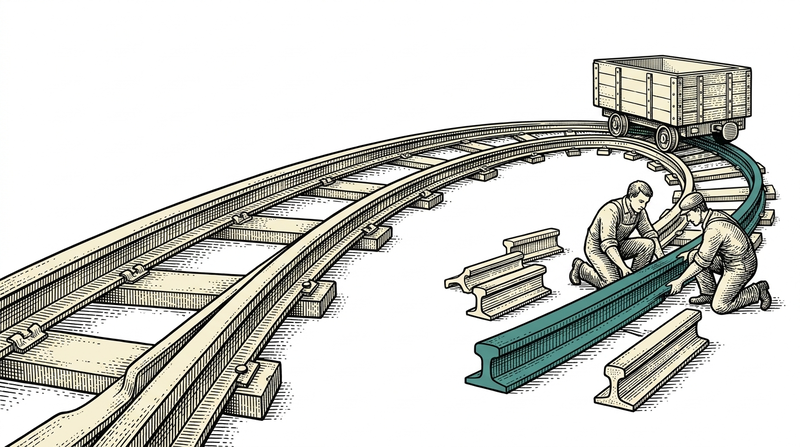
A board's real job is not to show the work but to show the congestion. Dragging cards between columns is just a pleasant interaction; what makes a board valuable is that everyone sees, at the same moment, that cards are piling up under one column. That is why the feature we added early was not drag-and-drop but a per-column work limit: when a column goes over its limit, moving cards is still allowed but a visual warning appears. The team starts talking about finishing what has been started rather than starting more.
The second question is who the board is for. Two people looking at the same board are searching for different things: one for their own work, the other for the team's total load. That is what swimlanes are for — splitting cards into horizontal bands by person, epic or priority turns one board into an answer to two different questions. Being able to group the existing board, instead of opening a separate 'my board' screen, reduced the number of screens anyone has to learn.
Third comes real-time behaviour. A board that looks different to two people is worse than no board at all: if one person moved a card and the other still sees it in the old column, both start doing the same work separately. We solved this with a live connection; when a card moves or a state changes, open boards refresh by themselves. A team that has to press 'refresh' eventually stops trusting the board.
Backlog, sprint and points: how does planning become measurable?
For planning to be measurable you need three things: a bounded time box, a size for the work you put in it, and a record of what actually finished by the end. The sprint is that box. In Stride the backlog is the pool of upcoming work; when a sprint starts, the items pulled into it are locked to that box, and when the sprint closes, unfinished items return to the pool automatically. That return matters: quietly carrying unfinished work into the next sprint makes a team's real pace look better than it is.
For size we prefer story points over hours, though we support both. The reason is simple: an hour estimate depends on the person, a point depends on the work. A senior does a piece of work in three hours, a newcomer in two days; the points are the same. When you measure in points, what you are measuring is the size of the work rather than the speed of a person — and when the team changes, your historical data keeps its meaning.
It is worth saying that entering points is not mandatory. Some teams dislike estimation, and that is a legitimate choice; the system works fully without it, only two charts stay empty. In our own use, estimation exists so that the product team can say 'this sprint is too full' while filling it — not to look back and measure people. Turning a measurement tool into a performance appraisal tool is the fastest way to corrupt the data; the moment people know they are being measured, they start inflating the numbers.
What do burndown and velocity charts actually tell you?
The burndown shows how the remaining work melts inside a sprint; the velocity chart shows how much a team actually finishes per sprint. What both of them report is history, not prophecy. If you know a team has averaged forty points over its last five sprints, a sixty-point sprint plan is not a target but a wish. The entire value of these two charts is that they move the 'will we make it' argument in the planning meeting from intuition to data.
The shape of a burndown says more than its number. A curve that drops vertically in the last two days shows that work did not really finish in those two days — it was merely marked done then, meaning states are updated in bulk at the end of the sprint rather than as work flows. A flat line says items are cut too large; a saw-toothed line says scope was added mid-sprint. We use this chart inside the team as a tool for the question 'where are we going wrong'.
Outside the sprint, the question changes: not 'is this project healthy' but 'which project needs attention'. Portfolio-level comparison lines up a handful of indicators — open item count, overdue ratio, weekly closing trend. We deliberately kept the indicator count low here: a dashboard with fifteen charts is a dashboard nobody looks at, while one with four gets checked every morning.
Where does work come from? Turning outside requests into records
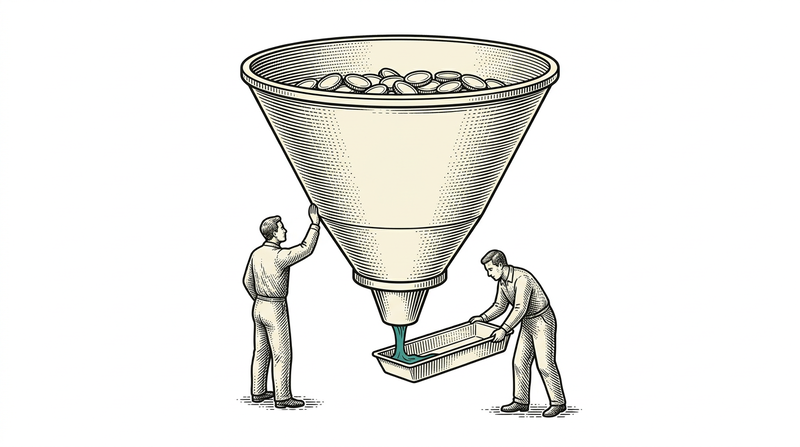
A team's work usually comes from outside the team, and this is exactly where most systems break. A customer finds a bug, sends an email or picks up the phone; someone hears it and re-types it into a record. That manual step produces both delay and loss: a busy day, a description with no screenshot, and then 'did you ever open this one?'. To remove that step in Stride we built it the other way around: you publish a form to the outside, and every submission from that form becomes a work item directly.
The form belongs to a project, you design its fields — text, email, phone, number, select list, checkbox — and you decide in advance which type the incoming record opens as and who it lands on. The person filling it in does not need an account; you share a link, and that is all. This opens the shortest path between a customer and the team without standing up a separate system just to collect support requests.
A public form is also a door for abuse, so we added two protections from the start: a hidden field that catches bots, and a rate limit on submissions from the same source. Neither is visible to the user, but without them the first hundred records in your project a week after publishing the form will be advertising spam. Every endpoint opened to the outside world must be protected on the day it opens — protection added later always leaves data to clean up.
How do you manage notification noise?
A notification system is measured not by how many notifications it sends but by how many get read. A system that sends everything to everyone becomes, within two weeks, a system everyone mutes: people start marking notifications read in bulk, and the genuinely important one disappears in the pile. So in Stride notification is interest-based: you hear about an item if you are assigned to it, opened it, were mentioned in a comment, or explicitly chose to watch it.
The second distinction is where a notification lives. The in-app notification centre is persistent and accumulates unread items; the live connection moves in the moment while you are looking at the screen. The third channel, email, is deliberately optional: if the mail server setting is empty the system quietly sends nothing and raises no error. We designed it that way so that a team installing the product on its own servers can run fully before its mail infrastructure is ready.
There is also time-based notification: items approaching their due date. We tied that not to a user action but to a background job running on a schedule. It looks simple, but the lesson we learned here was this: any system that sends reminders needs a record proving it will not send the same reminder twice. Otherwise, when the server restarts, everyone receives the same warning a second time — and trust in a system erodes on exactly these small things.
Why does search get hard once thousands of records pile up?
Search gets hard because, by the end of the first year, what you are looking for is no longer a word but an intersection: 'in this project, assigned to me, open, high priority'. A single search box cannot answer that. So in Stride there are two separate paths: jumping by key, and narrowing by filter. When you type a record's key (say WEB-142) you do not get a result list — the record itself opens, because that is the most frequent move of the day and the shortest path belongs to it.
On the filtering side, the technical decision we made was to filter on the server, not in the browser. Once record counts pass a few thousand, the 'download everything and filter in the browser' approach both slows down and bloats memory. Server-side paging and sorting keep the list as fast as it was on day one; the price is that every filter combination has to be written as a query against the database — which is not cheap on the development side, but is not negotiable on the user side.
A filter's second life is being saved and shared. In a team the same questions get asked over and over: 'waiting for test', 'left for this release', 'untouched for two weeks'. Saving those and sharing them with the team turns filters into a shared vocabulary. The same list can also be exported to CSV — as long as the data stays yours, you are never captive to a tool, and we made a principle of keeping that door open in our own product.
Who should see what: roles, teams and the audit trail
Authorisation is, before the question of who can do what, the question of who can see what. Inside one company, having every project open to everyone is usually fine; but if client projects live in the same installation, one client's records must not be visible to another client's team. In Stride that separation is solved at project level: every project has its own members, and membership carries one of three roles — admin, member, viewer. A viewer reads but cannot change; that role exists for stakeholders who need to see how work is going without touching the flow.
Teams are a second layer that crosses project boundaries. If the same five people work together on six projects, they are defined as a team rather than added to each project one by one; a person can belong to several teams. We did not make that distinction to draw an organisation chart, but to be able to answer the workload question: 'how full is this crew right now' can only be answered if a crew exists as a concept.
The third leg is the audit trail, and in our view it is the most underestimated feature. In Stride, which field of a record changed, by whom, when, and from what to what, all land in a separate history entry. Its daily benefit is that it ends arguments: the answer to 'why was this closed' lives in the record, not in someone's memory. Its institutional benefit is auditability; if you cannot show what changed and when in a release, then whatever your process document says, you hold no evidence.
The four things that challenged us most
The first was interface refresh discipline. We wrote the interface in a mode where every change is announced explicitly, rather than the classic approach of catching changes automatically; this makes the application noticeably faster but demands discipline in return. If you forget to declare that the screen must refresh after a server response, the data arrives but the screen stays as it was — and it does not even raise an error. The only way to catch that kind of silent defect was to apply the rule without exception.
The second was consistency of order and state on the board. Moving a card looks like 'change the state'; in reality it means changing both the column and the position within that column, not colliding with a move someone else is making at the same moment, and recording all of it in a single operation. Until you write a rule that decides who wins when two people drag the same card in the same second, a board is not trustworthy.
The third was the two pieces we chose to write without libraries: the rich-text editor and the charts. Taking a ready-made component saves the day, but in the long run it brings version coupling, theme mismatch and licensing questions. We wrote both ourselves; the editor on top of the browser's own editable area, the charts as direct vector drawing. The price was a few extra weeks of work, the gain full control and zero external dependency.
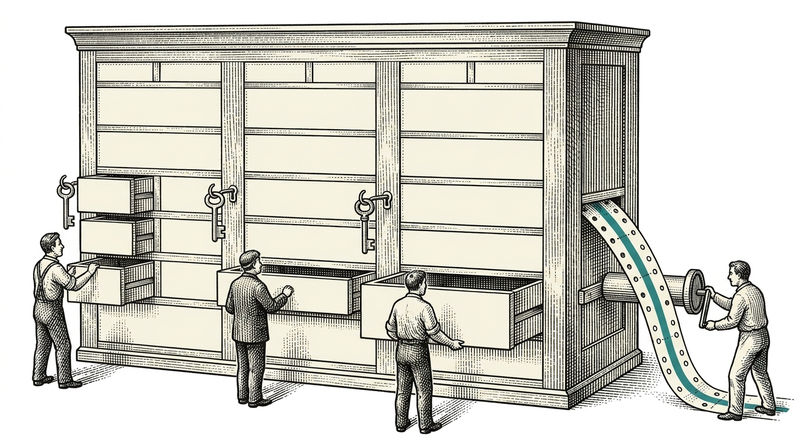
The fourth was the most tedious: writing the audit entry along with every write operation. Every endpoint that updates a field must, in the same transaction, also leave a record of what changed. If you do not solve that in one place, six months later some fields have history and some do not, and the audit trail loses its credibility — a half-kept audit trail is more dangerous than none, because you trust it.
Stride: where the product stands today, and what is missing
Stride today runs with thirteen distinct project screens: summary, board, backlog, list, calendar, timeline, reports, roadmap, components, releases, forms, templates and project settings. On top of those sit personal dashboards, cross-project search, the notification centre, teams and administration screens. On the data side there are twenty-six tables; on the application side, nineteen separate function families live, from projects and sprints to comments and work logs.
Let us state what is not done with the same clarity, because everything marked 'soon' on the product page has a reason. File attachments are not yet wired to work items: the object storage layer is installed and running, but we did not want to open it before the design of attaching, size limits and access rights was finished. Integration endpoints for external systems are on the roadmap too — rather than describing them as if they existed, we prefer to say they do not.
A note on development pace: Stride is not an application that got its core in a few days, but a product rising on infrastructure we have been maturing for a long time. Authentication, permissions, the table component, form controls and the delivery pipeline are shared with the other products in the family; that is what let us spend our energy on the problems specific to work tracking — flow, board, sprint, audit trail.
Cloud or your own servers? How to choose a deployment model
The deployment model is decided by responsibility for the data, not by technical preference. A cloud subscription leaves installation, backups, upgrades and monitoring to the provider; your team starts working on day one and you do not have to assign a system administrator. For the large majority of small and mid-sized teams this is the right answer — because the invisible cost of operating software on your own servers is far higher than any licence difference.
An on-premises installation makes sense when data must not leave the institution: public sector, defence, finance, healthcare and large organisations running their own data centres. The discussion there is not about security but about jurisdiction — under which law, which network and which backup policy the data sits. Stride runs on the same core in both models; the on-premises version is not a 'limited edition', it is the same product.
In both models we tie authentication to a central sign-on service and keep no password in the application. The session token lives server-side, which means a user's access can genuinely be cut off instantly. We deliberately chose not to use a client-held token that cannot be revoked until it expires — because in an enterprise product, 'cut this person's access now' is not a theoretical request but a frequent one.
Seven questions to ask when choosing work tracking software
One: can you define the workflow yourself, or must you conform to the product's flow? Two: can you export your data on any day, in full and in a machine-readable form? Three: are requests from outside the team typed in by hand, or do they become records directly? The answers to those three questions largely determine whether you will still like the tool a year from now.
Four: is 'who sees what' solved at project level, or is it 'everyone sees everything'? Five: is a record's history kept, and can you show which field was changed by whom? Six: do the list screens slow down as the team grows — has it been tried with ten thousand records? These three tell you whether a tool that looks good in a small team will crack at mid-scale.
Seven: does the team behind the product use the product itself? The question looks sentimental but has a practical payoff: a team notices the gaps in a tool it uses within hours, and the gaps in one it does not use only when you complain. Where the answer is 'yes', the roadmap tends to track the user's agenda far more closely.
Conclusion
The value of work tracking software lies not in how many fields it offers a team, but in how little the team has to look at it. A good system answers 'what do I do today' on one screen in the morning, stays out of your way during the day, and still holds the answer when, six months later, you ask why something was done this way. Doing all three at once does not require more features; it requires a handful of solid decisions placed correctly: leave the flow to the team, do not force measurement, protect the door to the outside world from day one, and record every change.
We built Stride out of our own need and use it ourselves every day; every observation in this article came out of that use. The product runs as a cloud subscription or installed on your own servers, its gaps are marked openly, and its roadmap moves with the rhythm of our own work. Tell us how your team works, and we will shape the flow together and decide with you which deployment model fits.