What does a content management system actually solve?
A content management system is the layer that removes the need for a developer whenever a website's text or images change. The real problem it solves is not 'making pages' but ownership: if the owner of a site cannot change a price, a heading or an announcement themselves, that site slowly goes stale. Small fixes depending on someone else's calendar is the most common reason updates never happen.
The second thing it solves is consistency. The same fact appears in five places on a site: the short pitch on the home page, the long version on the service page, the contact line in the footer, the description on the share card, the summary handed to search engines. When those are written separately by hand, one gets updated and four are forgotten. A good system keeps that content in one place and shows it where needed.
We are writing this not as observers but as a team that has lived inside the problem. We built Vosetu CMS — a multi-tenant content platform that publishes several sites from one installation — out of our own need, and everything described here runs on our own sites. Below we will frame the components of a CMS, then walk through how we built each part, where we were wrong, and what we deliberately postponed.
Why did we write our own platform instead of using a ready-made one?
We wrote our own platform not because we were solving for one site but because we had to keep many sites alive at once. A personal site, a product site, several sector templates, sites to be opened for clients… Doing a separate installation, upgrade, backup and security watch for each meant a maintenance load that grew geometrically with the number of sites. What we needed was not a system that manages one site perfectly, but one that keeps the tenth site as cheap to run as the first.
The second reason was wanting to decide the shape of content ourselves. A property listing, a consultancy's service and a personal site's project are not alike; forcing each into the same 'post' mould always produces strained fields and workarounds later. Writing our own model let us define the content type and shape the fields around the actual need.
The third reason is the most honest one: we want to use the product we sell. One of the sites living on this platform is the product's own marketing site. We do not wait for a customer complaint to notice a gap; whatever annoys us while entering our own content gets fixed that week. That is why every 'this is where we struggled' sentence in this article is first-hand.
One installation, many sites: how does that work?
In a multi-tenant system every request is met first with the question 'which site does this belong to'. Our answer was the domain: the address the visitor's browser sends is matched against the domains of registered sites, and that site's theme, languages and content are loaded. It could have been a path or a subdomain; we chose full-domain matching because a client's site living under its own name was the only sellable option.
The nicest consequence of that decision is that opening a new site stops being an infrastructure job. When a new client arrives there is no new server and no new deployment: one record, one theme choice, one domain pointing. Because the theme is chosen at runtime as well, the whole thing runs on a single software version — you never have to keep ten separate versions current across ten sites.
The price is that the system must now carry 'which site' everywhere. Every content record holds a site id, every query is filtered by it, every cache key includes it. Forget it in one place and the bug is silent and surfaces in the worst possible way: one tenant's content appearing on another tenant's site. That is why we made the site filter a natural part of the query rather than an optional parameter.
Fixed tables or a flexible content model?
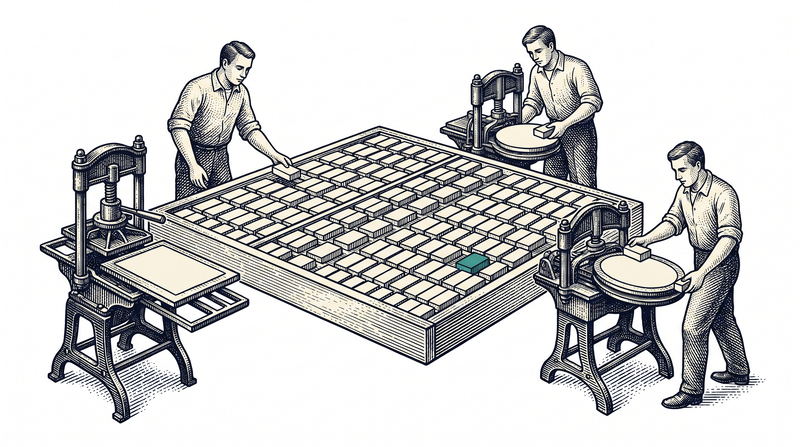
This is the single most defining decision when writing a CMS, and we made it twice. In the first version every content type had its own table: services in one, projects in another, blog posts in a third. It looked clean — right up until a site needed 'references'. A new type meant a new table, a new model class, a new endpoint and a new screen; in other words, every content idea depended on a software release.
In the second version we moved all content into a single structure: every record carries a site, a type, a key and a free-schema body. A service, a blog post, a menu item and a page's block composition are different types of the same structure. The gain was large: a new content type is now a definition, not a release. The old tables were removed entirely once data had been migrated — keeping two models alive at once would have been the most expensive option.
Let us be honest: the flexible model has a price too. The database no longer tells you 'this field is required'; validation becomes the application layer's responsibility, and the schema and the actual data can drift apart over time. We balance this by keeping field definitions in a separate schema layer and generating the panel form from those definitions; even so, you have to stay alert about the single source of truth. Flexibility is not free — you simply pay for it somewhere else.
How do you address content: where does 'that text on the site' live?
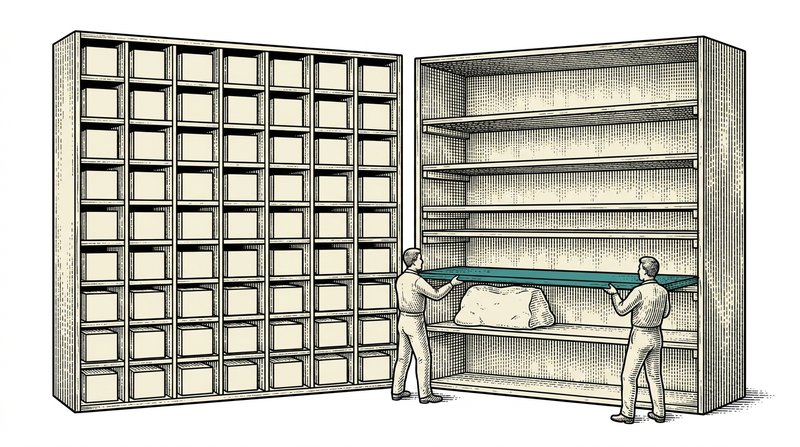
The best way to address content is to use its place on the site as the address. We use a three-level key: the page, the section on that page, and the sub-field of that section. 'The heading in the top band of the contact page' is not a search result but an address. That simple rule turned out to be the biggest factor in reducing the time it takes to find content in the panel — because the user already knows the layout of the site and does not have to learn the system's vocabulary.
The second benefit of addressing is that the panel can generate itself. When keys are split on dots, a natural tree appears: pages, sections beneath them, fields beneath those. The panel reads that tree from the content; we do not hand-draw the screen. When a new section is added it simply appears in the panel. Display names and ordering are kept in a separate management layer so that the technical key and the label a human reads never get mixed up.
This discipline has a cost and we will not hide it: the rule works to the extent that it is applied. On our pilot site the addressing was built rigorously end to end, and there the panel genuinely explains itself. Some template themes that are not live yet do not have the same rigour; the tree looks coarser there. We know this as a gap and are closing it theme by theme — saying 'it happens automatically everywhere' would have been easy, but untrue.
How free should a theme be — template or bespoke design?
When a platform's themes are colour variants of one another, every site it produces looks related — and that is the first thing a client notices. We chose the opposite: each theme is designed from scratch with its own skeleton, components and typography. Between a property site and a natural-stone manufacturer's site the only shared thing is the engine; at the level of visual language the overlap is deliberately zero.
Making that possible required drawing a clear boundary between the engine and the theme. On the engine side: site resolution, content reading, language handling, page metadata, sitemaps, structured data, analytics and the in-place editing bridge. On the theme side: the design, the components and what each block looks like. Thanks to that boundary, writing a new theme does not mean rewriting the CMS; the theme deals only with appearance.
In return we accept this: a new theme is still a coding job. There is no visual theme editor for picking colours and swapping fonts in the panel, and there is not one on the near roadmap — because that tool does not work without templatising the design, and templatised design leads straight back to 'they all look related'. The choice here is deliberate: we gave up a convenience for the sake of original design.
Page builders: how far is it a good idea to hand blocks to the user?
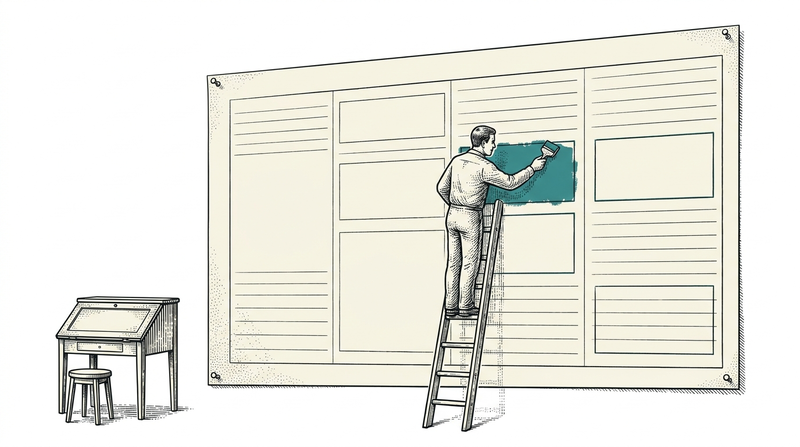
A page builder is good or bad according to how much freedom it gives. Tools where you can drag anything onto a blank canvas tend, a few months later, to produce broken-looking pages — because they take decisions like alignment, spacing and rhythm away from the designer and hand them to whoever enters content. We chose bounded freedom: a page's blocks can be reordered, hidden, added and configured, but the block's own design belongs to the theme.
On the configuration side, the most useful thing was letting blocks bind to lists: 'this section shows the latest three blog posts', 'that one takes only featured services'. The page then updates itself as content arrives; nobody adds links to the home page by hand. Next to that we put a live preview in a split screen — you see what the result will be before the change is saved.
This too has an honest limit: for a theme to open up to the page builder its blocks must be declared, and that declaration is done per theme. Today the block list is complete in our pilot theme; in some themes it is still empty, and there page composition falls back to the default in code. The system does not break in that case, the block settings simply do not appear — but saying 'ready in every theme' would be false.
Why does in-place editing beat the panel?
In-place editing works because the question in the content editor's head is always the same: 'how do I change that text'. A classic panel turns that question into a search problem — which section, which field, which key? Clicking on the text in the site preview and fixing it right there removes the question entirely. What you see on screen and what you edit are the same thing.
Technically, the heart of this is a bridge: the preview opens in editing mode and every editable piece of text carries its own address. The clicked element reports its address to the panel, which either opens that field directly or lets you edit the text in place. This is where the addressing discipline pays off — without an address for content we could not know which record the clicked thing corresponds to.
Next to it we added device preview: you can see the same page at desktop, tablet and phone widths. The reason is practical rather than aesthetic: most decisions about text length should be made on a phone. A heading that looks elegant on a desktop becomes something else entirely when it breaks into four lines on a narrow screen — and noticing that after publishing is expensive.
Why is building a multilingual site harder than it looks?
Multilingual is hard because content is not the only thing that needs translating. A site has three separate text layers: the content itself (headings, descriptions, articles), the interface's fixed strings (button labels, form labels, state sentences like 'no results found'), and the text that goes to machines (page title, description, share card). Most projects translate the first, hard-code the second and forget the third.
We pulled all three into the content layer. Content fields are stored multilingually in one record, and when a language is left empty the page falls back to the main one rather than breaking — a half-translated site is better than a broken one. Interface strings are a separate layer: all 445 keys can be overridden per site, so the same button can say 'Get a quote' on one site and 'Book an appointment' on another. In a multi-tenant system this is needed far more often than you would expect.
As for translation itself: we added one-click machine translation, but we do not treat it as finished work. Machine translation produces the first draft; a human corrects it. In practice that is what helped most — the difference between staring at an empty box and looking at a text to be corrected is the difference between content never being translated and being translated in two days.
How do you set up SEO in a multi-site installation?
The first rule of SEO in a multi-site installation is that each site must see only its own world. If the sitemap and crawler directives sit as static files you produce a single output, and tenants see each other's maps. We generate both according to the address the request arrives at — whichever site the request belongs to, the map lists that site's published pages. This small-sounding detail becomes a large problem the day your first tenant gains a second.
The second rule is not to leave metadata to the theme. Page titles, descriptions, share-card tags, alternate-language links and structured data come from the engine's shared layer; the theme deals only with appearance. The reason is simple: getting this right in ten out of ten themes is ten times harder than getting it right in one place, and one of them will always be missing something.
The third is making SEO the job of whoever enters content. In the panel we show a score and missing-field warnings for each page: no title, description too short, a meaningless slug. Next to it we placed an assistant that drafts the meta description; it reads the text, suggests 150–160 characters, and the user edits. The goal is not to turn anyone into an SEO specialist but to catch the three most common mistakes before a page goes live.
Speed and caching: when should the site update after content changes?
In a CMS, speed comes from not rebuilding the page for every visitor. A page is produced once, kept for a while, and served ready to everyone during that window. The price is freshness: when content changes, the site's update waits for that window to expire. The right answer is not 'always instant' — on a corporate site nobody minds a minute's delay, while the bill for rebuilding on every request is serious.
We got this wrong once and learned from it. We built a mechanism so that saving content would instantly refresh the relevant page; with a single copy running it worked flawlessly. But when the site runs as several copies, the refresh call reaches only one of them while the others keep serving the old content — so some visitors saw the new page and some the old one. That is worse than delay: it is inconsistency.
For now we chose the predictable option: a short-lived cache and the same behaviour for everyone. Instant refresh will come back, but next time through a mechanism shared across copies. The general lesson we took away: in a distributed system, before promising 'instant', count how many copies have to keep that promise at once.
Do you need a third party to measure visitors?
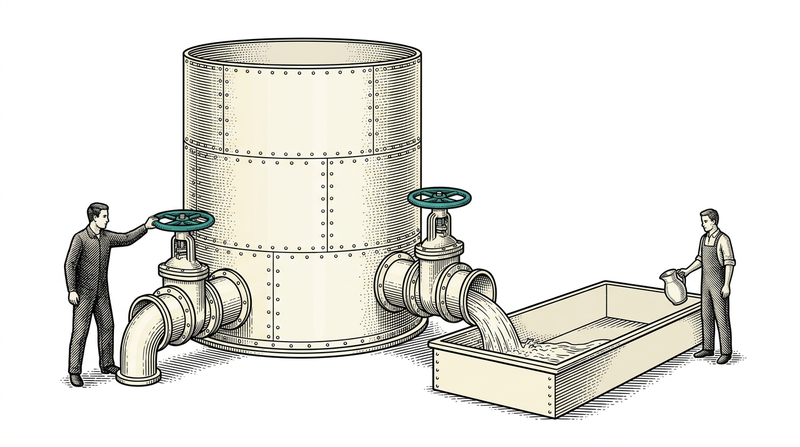
For most sites, no — the answers to the questions being asked already pass through your own server. 'How many people came today, which page was read, where did they come from, in which language and on what device' can all be answered without sending data to any external service. That is what we did: page views are written to our own database and appear in the panel as a daily chart, top pages, sources and device breakdown.
There are two benefits. First, privacy: when you collect nothing that identifies a person, you also create no burden of storing, disclosing and deleting it. Second, accuracy: most ad blockers stop external measurement scripts, while a request to your own server is not stopped. So you can collect less data and count more accurately.
Let us state the limit too: this does not replace the deep analytics marketing teams use. Once you need conversion funnels, campaign attribution or user journeys, an external tool is required. Our claim is this: the vast majority of sites never reach those needs and only ask 'which content gets attention' — and for that, no third party is necessary.
Where should a message from a form land?
A message from a form should land somewhere it will not get lost, and email alone is not that place. If a contact form's content goes straight to a mailbox, the message lives in one person's inbox: it goes unseen while they are away, it is gone if deleted, and a second person cannot look at it. We write submissions into the system first — they sit in a panel inbox grouped by form, with read state.
We also left the form structure open: each form has its own key and its own fields, and the body is stored with a free schema. So a 'contact' form and a 'request a quote' form use the same pipeline while collecting different fields, and adding a new form stops being a coding job. Like every endpoint open to the outside, this one is protected from the start — a silent trap field against abuse and a rate limit.
Let us also write down the gap: no automatic email goes to the site owner when a message arrives; today it is checked from the panel. We postponed this deliberately, because in a multi-tenant installation 'on whose behalf, from which server, with which domain' an email is sent is a design problem in itself, and half-built email delivery is just a notification landing in the spam folder.
The four things that challenged us most
The first was writing the flexible content body into the database correctly. When storing a free-schema body, the data must be recorded as structure rather than as text; miss that distinction and the write appears to succeed, while on the read side you find a flat string instead of the structure you expected. The bug was hard to catch because nothing threw an exception anywhere — the content just looked 'somehow' wrong.
The second was that tenant resolution depends on infrastructure. The system learns which site a request belongs to from the address it carries; if a proxy in between replaces that with its own name, the platform opens the wrong site. And this 'failure' does not look like a failure: a site opens, just the wrong one. After living through it once we wrote the rule down — the address must be preserved along the chain.
The third was schema and data ageing together. When field definitions live in one place and actual content in another, the two drift apart over time: fields sitting in the data but not visible in the panel, or fields defined yet never filled. We manage this with a layered fallback rule (no definition, use the general one; none there either, use a safe default), but making the single source of truth explicit is still open work.
The fourth was the most human: making the panel speak the language of the person entering content. Technical keys make sense to a developer and mean nothing to an editor. Moving display names and ordering into a separate layer, then arranging the panel in the order things appear on the site, was a matter of patience rather than code — and it was the change that most reduced the time spent in the panel.
Vosetu CMS: where it stands today, and what is missing
Today the platform serves sites from one installation with domain-based resolution; there are ten themes in the registry, thirteen content types, three publishing languages and four hundred and forty-five interface strings overridable per site. The management surface, Vosetu Studio, has in-place editing, a page editor, a content tree, a menu editor, a form inbox, interface texts, an SEO assistant and visit analytics. One of the sites living on this platform is the product's own marketing site.
Let us count the gaps with the same clarity. There is no media library: the file upload flow is not wired yet, and today images are used as theme assets or external links. There is no content version history or rollback. There is no granular role and permission management; access control is an administrator/site-owner split. There is also no on-site search for visitors, no comment system and no cookie-consent notice.
We write these down as gaps because a platform's maturity is measured less by the list of features it has than by whether it admits the ones it does not. At the front of the roadmap are the media library and form notifications; rather than attaching a date to 'soon', both are the kind of work we will write about here when they are ready.
Seven questions to ask when choosing a content management system
One: do you decide the shape of your content, or do you conform to the system's ready moulds? Two: can your site's design be told apart from the other sites using that system? Three: how many clicks does it take to change one line of text — and did you test that with the person who will actually enter content? The first three questions determine whether the system will still be in use a year from now.
Four: what happens when you have more than one site — is each a separate installation with a separate upgrade? Five: in multilingual publishing, can interface strings be translated too, or only content? Six: do the basics of SEO (title, description, slug, sitemap, alternate languages, structured data) come ready, or are they set up by hand for every page?
Seven: can you export your content in full on any day you choose? The question looks dull but it is the insurance policy behind all the others: if your data is in your hands in structured form, the day you are unhappy with the system moving becomes a project; if not, it becomes a rescue operation.
Conclusion
A content management system is the tool that gives a site back to its owner. To do that it must manage three things at once: address content the way it is laid out in that person's head, protect the design from being broken, and produce what goes to machines — metadata, sitemaps, structured data — correctly without asking anyone. Most of our time building Vosetu CMS went into the balance between those three; adding features was always the easier option.
Today the platform runs as a cloud subscription or installed on your own servers; its gaps are marked openly and its roadmap moves with the rhythm of our own use. Tell us how many sites you have, which languages you will publish in and where the design should land, and we will work out together whether this setup fits you.